Your kid’s game, now a highlight reel.
Free for every sport, with no account and no watermark.
Runs in your browser. Your video never leaves your device.
 Export reel
Every sport
From the rink to the diamond.
The editing tools work on any video. Auto highlights have been tested on hockey, soccer, baseball, lacrosse and tennis.






How it works
Three steps. That’s it.
From a 40-minute game video to a 30-second reel.
- 1
Upload
Drop in the full game video. MVPcut scans it for the action in a few minutes, and you can keep editing while it runs.
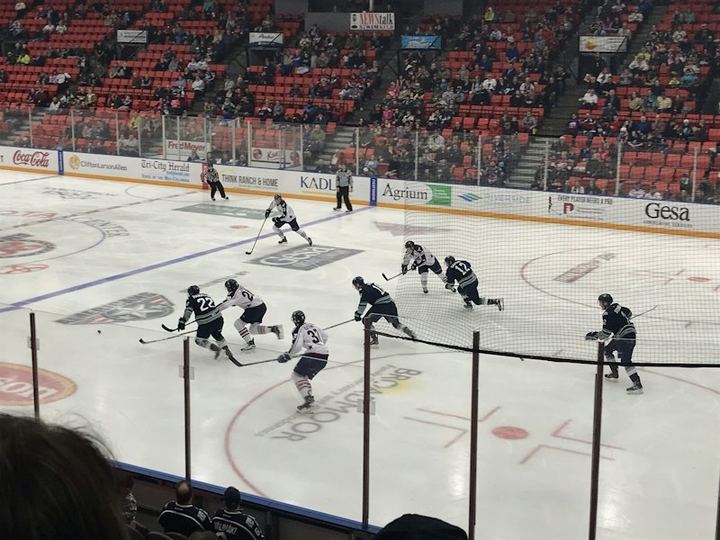 game_full.mp4 · 40:12
- 2
Circle
Draw a circle around your player once. MVPcut follows them and picks out every moment they’re in.
 Tracking #28
- 3
Export
Save an HD MP4 and share it. Vertical for Instagram, square for the feed, or wide for the big screen.
reel.mp4 · 0:30
Features
The tools you’d expect, without the paywall.
The editor opens on the three steps. Everything below is one tap away under More tools.
Timeline editing
Trim, split and reorder clips on a timeline when you want full control.
Auto highlights
Scans the game for motion and activity and flags the moments worth keeping.
Follow my player
Circle your child once. MVPcut tracks them and builds the reel from their moments.
Text and stickers
Add a name, a number or a score so the reel tells the story.
Music, voiceover, fades
Lay in a track, record a voiceover, and fade in and out cleanly.
Speed and filters
Slow down the big play, speed up the dead time, and finish with a filter.
Vertical, square or wide
Export for Instagram and Stories, the feed, or the big screen.
HD export, MP4
720p or 1080p MP4 that plays everywhere you want to share it.
Works offline
Install it from your browser, and it keeps working without a connection.
Private by design
Your kid’s video never leaves your device.
Editing runs in your browser tab, so there’s nothing to upload and nothing stored on a server. The one exception is a converter file of about 25 MB, downloaded once, and only for formats your browser can’t play.
- No account or email
- No watermark, ever
- Install it and use it offline

Honest limits
What to expect, honestly.
- MVPcut is early, so expect rough edges and tell us what breaks.
- Following one player works best on continuous footage. It struggles when the camera cuts between angles or the player is tiny.
- Exports run in real time, so a 30-second reel takes about 30 seconds to export.
- Scanning a long game takes a few minutes, and you can keep editing while it runs.
- Filters don’t work in Safari yet. Chrome on a computer gives the best results.
Questions
Good to know.
Is it really free?
Yes. There’s no watermark, no account, and no trial.
What sports does it work for?
The editing tools work on any video. Auto highlights look for motion and activity, so they work best when the camera stays steady on the action. They’ve been tested on hockey, soccer, baseball, lacrosse and tennis.
Does my video get uploaded?
No. Everything runs in your browser tab. The only exception is a converter file of about 25 MB, downloaded once, and only if your video is in a format your browser can’t play, such as some iPhone videos. Your video is never sent anywhere.
What does “Follow my player” do?
You circle your child in one frame, and MVPcut tracks them through the video and builds a highlight reel from the moments they’re involved in. If the camera cuts between angles, circle the same player in another shot to extend the tracking.
My iPhone video won’t open. What do I do?
MVPcut converts HEVC iPhone videos automatically the first time you add one. Keep the tab open while the converter downloads once. Files over about 1 GB should be trimmed first.
Is there an app to download?
No app store download is needed. MVPcut is a web app you can install from your browser to open like an app and use offline.